Category: Uncategorized
Adobe After Effects
 You can animate your letters or words by selecting your word, go to Animate Presents, then select Text.

In order to show your waveform on your timeline, select your music layer then double click L on your keyboard.
 You can turn a key-point to Easy Ease by clicking F9.
Adobe After Effects

Your width needs to be at 1280, and your height needs to be 720.

your frame rate should be 23.976.

Each word should have a layer of it’s own.
12 Principles Of Animation
SQUASH & STRETCH
ANTICIPATION:
An anticipation pose or drawing is a preparation for the main action of an animated scene, as distinct from the action and the reaction.
Staging:
It is a powerful tool that can inform an audience about character and narrative. Staging is connected to acting, timing, cinematography, and setting.
Straight Ahead vs. pose-to-pose:
Straight Ahead Action in hand drawn animation is when the animator starts at the first drawing in a scene and then draws all of the subsequent frames until he reaches the end of the scene.
Overlapping action:
Tool used by animators to emphasize the action and mood of the character. When a character moves across the screen some parts of the body move before or at different rates than others. Some parts of the body will LEAD the action and some parts will FOLLOW the main action.
Slow in Slow out
When the flash speed up then slowed down in slow motion.
Arcs
They create motion that is more expressive and less stiff than action along a straight path. In Computer Animation, motion is usually represented in a timeline view using splines.
Secondary Action
When the man turns away.
Timing
When he ran fast to get away.
Exaggeration
The frog is screaming.
Solid Drawing
superman hitting and getting hit.
Appeal
A weak drawing or design lacks appeal. A design that is complicated or hard to read.
Principles And Elements Of Design
Color:
The picture represents color because it shows color.
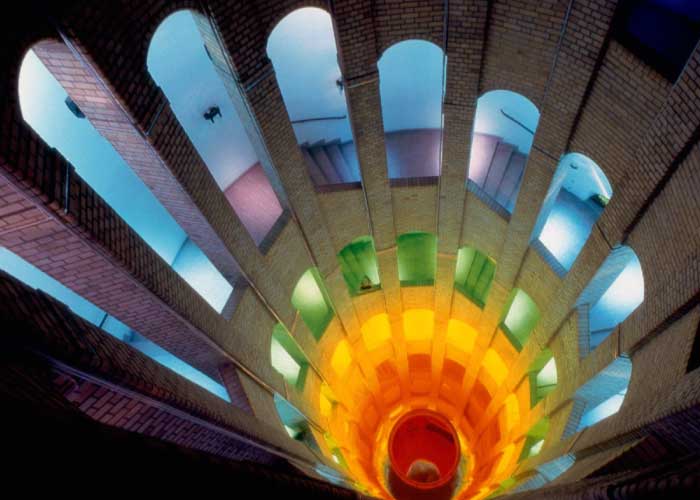
Line:
The picture represents line because it has lines on the building.

Mass:
This picture describes mass because it shows a solid form.

Movement:
This picture shows movements of the player.

space:
The surroundings makes the focus only on the apple.

Texture:
This shows a 3D picture from a 2D design.

Typography:
This shows motion graphics.
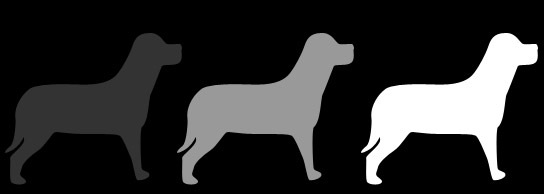
Value:
This shows relative lightness and darkness, white, gray, and black.
Balance:
this shows symmetrical balance.
:max_bytes(150000):strip_icc()/rocks-balancing-on-driftwood--sea-in-background-153081592-591bbc3f5f9b58f4c0b7bb16.jpg)
Proportion:
Relative size and shape of the elements.

Rhythm:
Repetition of shapes and elements in the trees.

Emphasis:
In this image, the point of focus is on the red apple.

Unity:
All the parts of the bedroom has the same harmony.
Contrast:
Refers to the arrangement of opposite elements (light vs. dark colors, rough vs. smooth textures, large vs. small shapes, etc.)
Direction:
Using movement to create the visual illusion.

Economy:
Simplicity, it is the omitting of all non-essential or unimportant elements and details which don’t really contribute to the essence of the overall composition in order to emphasize what is important.

The Journey Begins
Thanks for joining me!
Good company in a journey makes the way seem shorter. — Izaak Walton


